macOS Sequoia introduces Image Playground, an image generation tool powered by Apple Intelligence. Image Playground allows you to create illustration-style images by combining written descriptions with selectable themes and visual elements, making image creation more accessible within the macOS environment.
What is Image Playground?
Image Playground is a built-in image generation tool that uses Apple Intelligence to create images from written descriptions. Rather than offering free-form graphic design controls, Image Playground focuses on guided image creation, allowing you to explore visual ideas through text input and predefined visual concepts.
Using this approach, you can generate a range of illustration-style images, from simple sketch-like visuals to more detailed compositions, without requiring specialist design software or artistic experience.
Accessing Image Playground
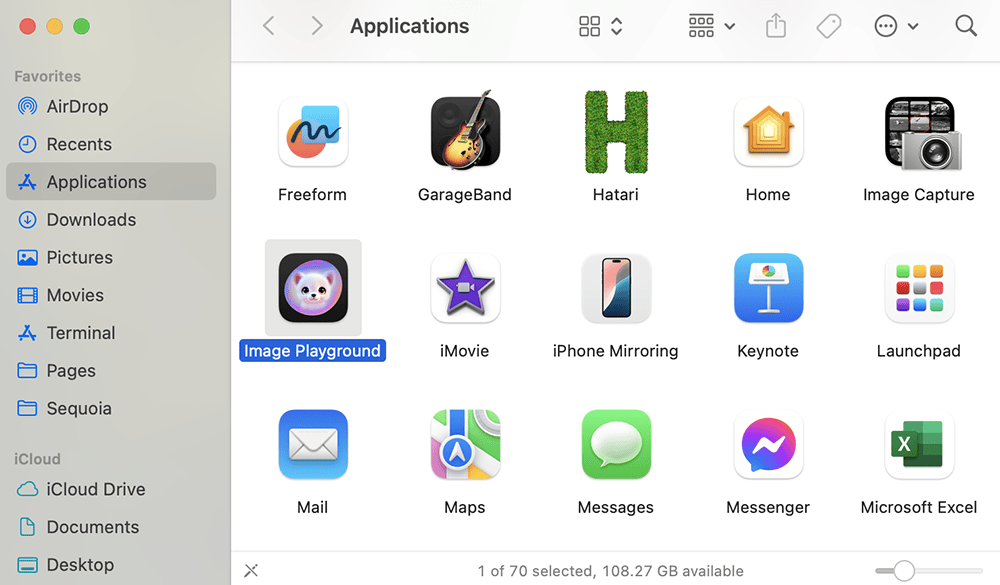
To use Image Playground, Apple Intelligence must first be enabled in system settings. Once enabled, Image Playground is available as a standalone application in the Applications folder in Finder.
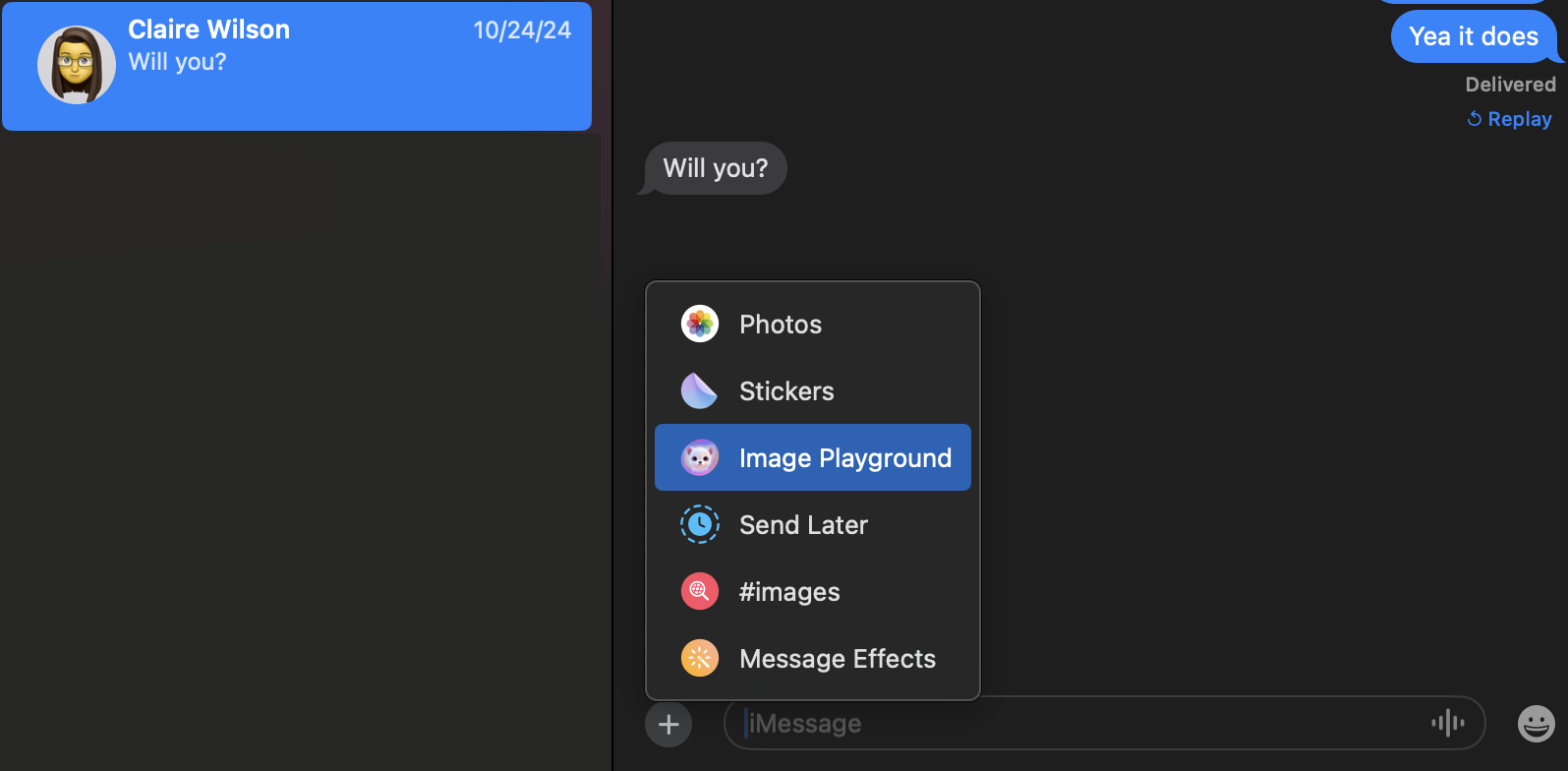
Within supported apps, Image Playground can be opened through the app’s image or insert controls, allowing images to be created in a dedicated panel.
Creating Images with Text Prompts
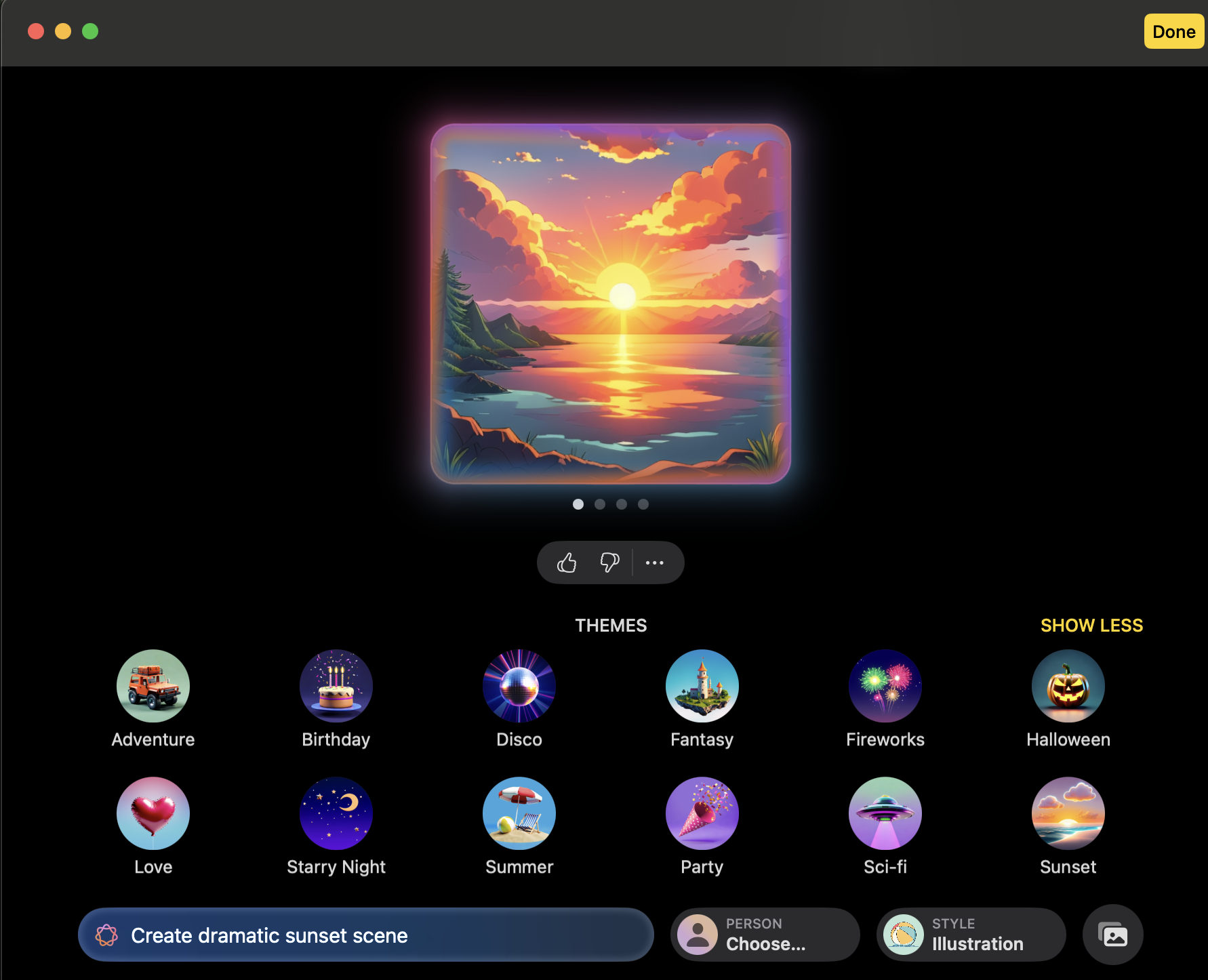
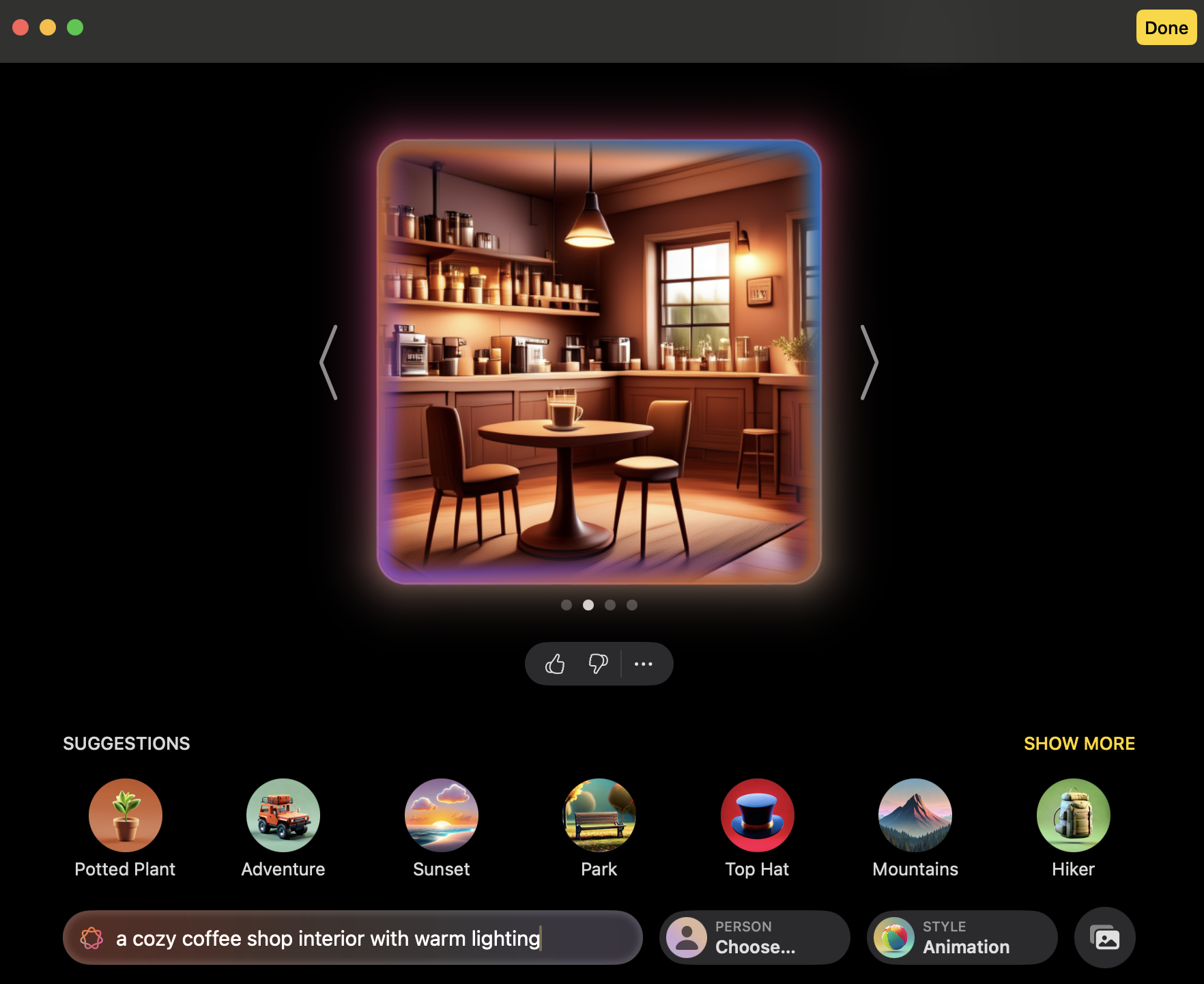
The core functionality of Image Playground is text-based image generation. To create an image, you must enter a short-written description describing the subject, setting, or mood you want to visualize. This could be an object, or scene. For example, type “sunset over a snowy mountain range” or “a cozy coffee shop interior with warm lighting”.
After you’ve entered your prompt then press enter. Within moments, the app produces an image based on your description.
Using Themes and Visual Elements
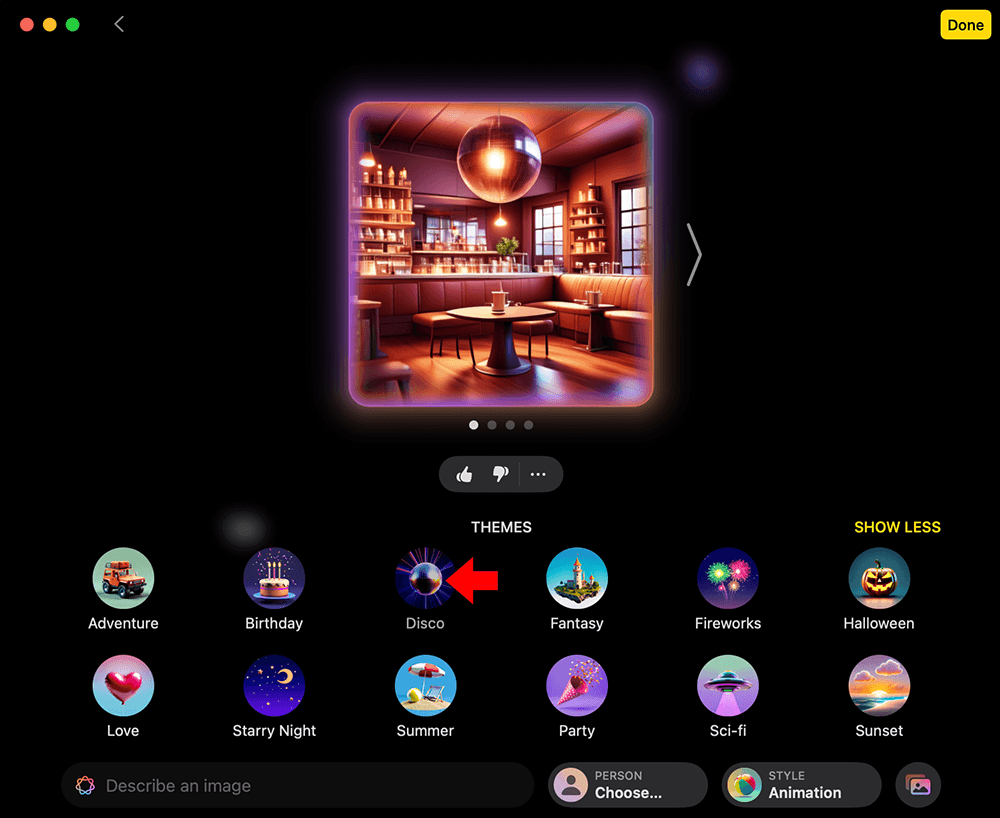
The initial image generated serves as a starting point. Underneath, Image Playground presents a selection of themes and visual elements that can be applied. Selecting a theme modifies or regenerates the image rather than simply overlaying a filter. For example, selecting the ‘disco’ theme regenerates the image with a disco vibe.
Creating and Customizing Characters
Image Playground also supports character creation. You can generate original characters and customize their appearance by selecting attributes such as skin tone, clothing, and overall visual style. Multiple variations are generated automatically, where you can browse and select the version you like best. Characters can then be further refined by applying additional visual elements or themes.
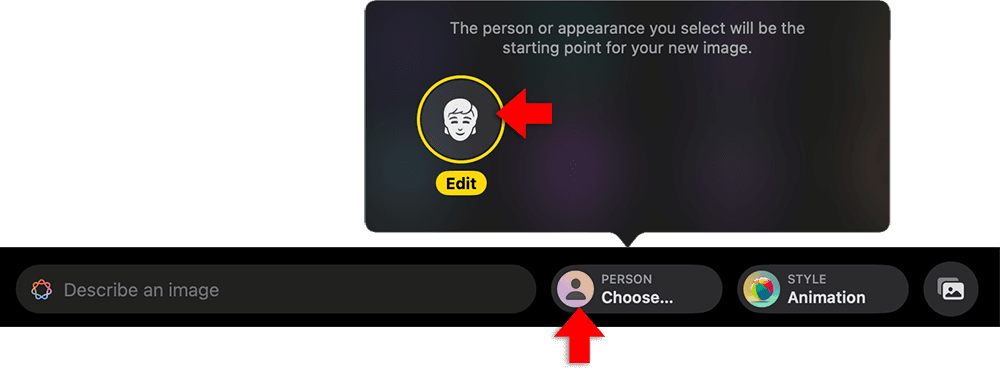
To do this, click ‘person choose’ on the bottom of the window. Select ‘edit’ from the menu.
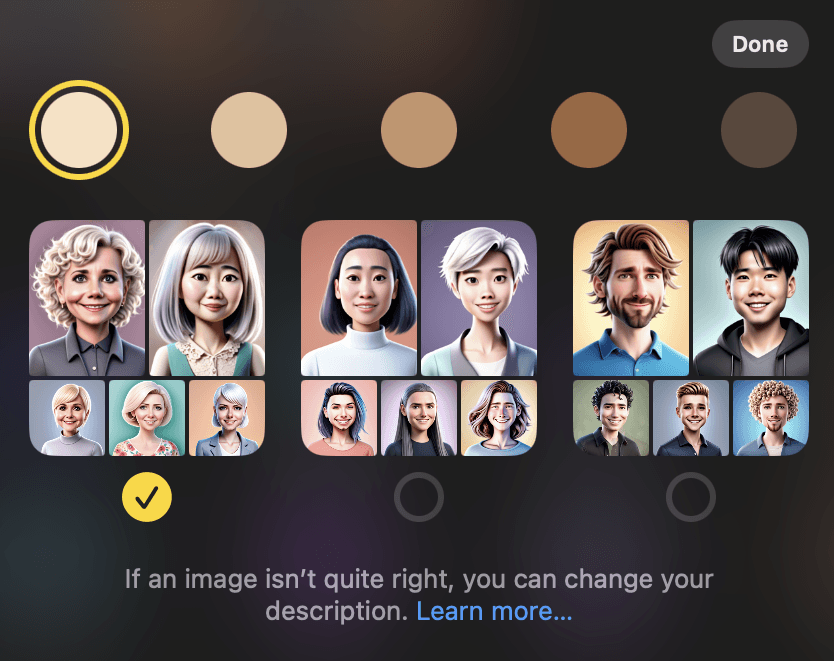
Select a skin tone and style from the options. Click ‘done’.
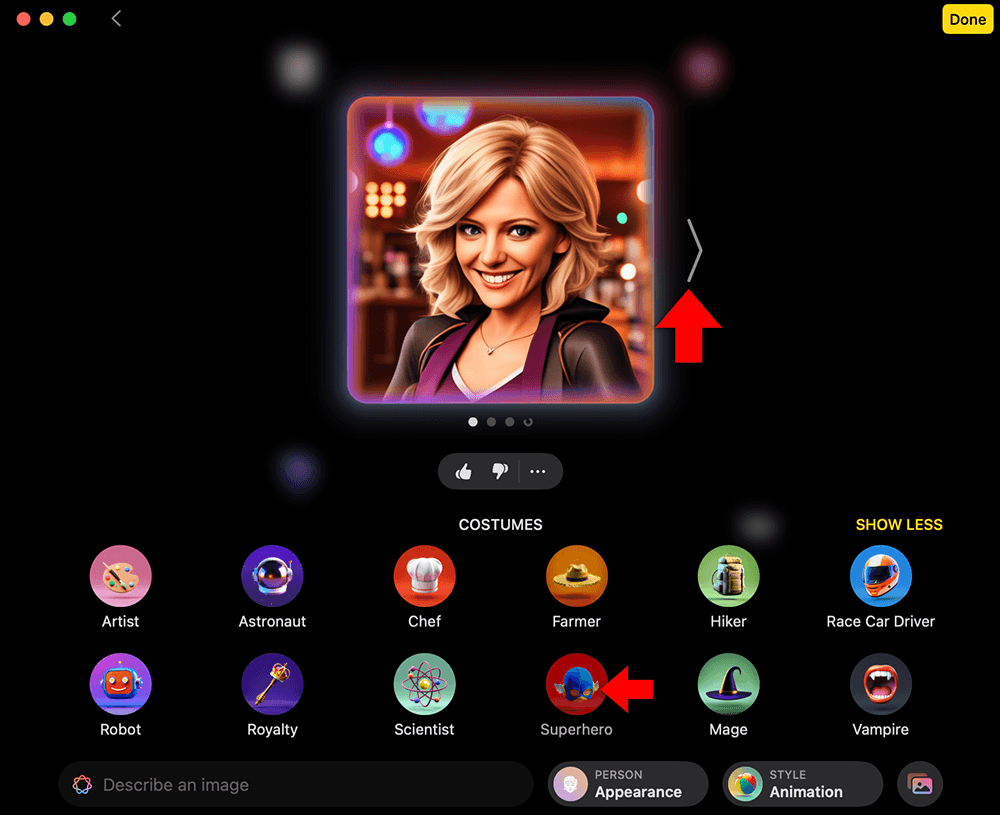
You’ll see your character appear. Click the left and right arrows on the image to select one. From the costumes below, select one.
Saving and Sharing Images
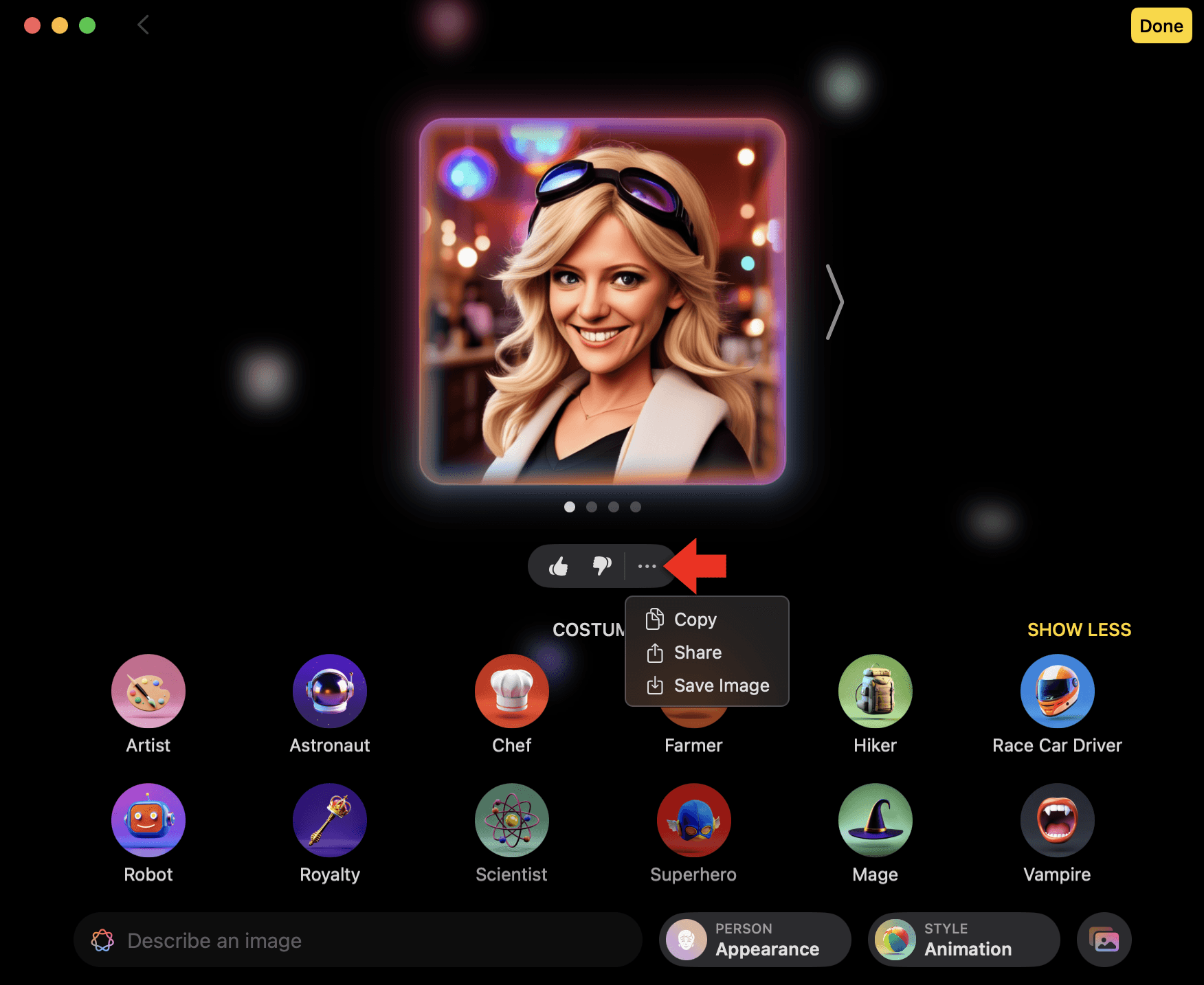
Once an image has been created, it can be reused in other apps. Images can be copied, saved, shared, or edited further by applying new themes or visual elements. This makes Image Playground suitable for quick visual creation without requiring a separate export workflow. To copy, save, or share the image, click the three dots icon underneath, then select and option.
Incorporating Images into Other Apps
You can use Image Playground from the Messages app directly within a chat to create and send custom images instantly. It’s a fun way to add a personal touch to conversations, perfect for birthday greetings, holiday images, or custom memes.
Practical Applications of Image Playground
There are several practical uses for Image Playground, particularly in informal creative and exploratory contexts. For personal use, it can be used to generate custom visuals for messages, digital greetings, or casual social sharing, allowing users to express ideas visually without requiring design experience.
Designers and illustrators could use Image Playground to generate rough visual ideas based on descriptive input. While it is not intended to replace professional design software, it can support early-stage visual thinking and client discussions.
In education, teachers and students can use Image Playground to add visual context to assignments or presentations. This can be especially helpful in subjects such as art, history, or creative writing, where imagery can support storytelling, interpretation, or discussion.
Content creators, social media managers, and marketers can also use Image Playground to explore visual ideas and compositions for posts or campaigns. The tool is best suited to early concept exploration and visual brainstorming, rather than final branded assets.
Further Reading
For more information on the subject, have a look at the following book:
- Original price was: £24.99.£19.99Current price is: £19.99.Buy now
Exploring Apple Mac: MacOS Sequoia Edition
Kevin Wilson